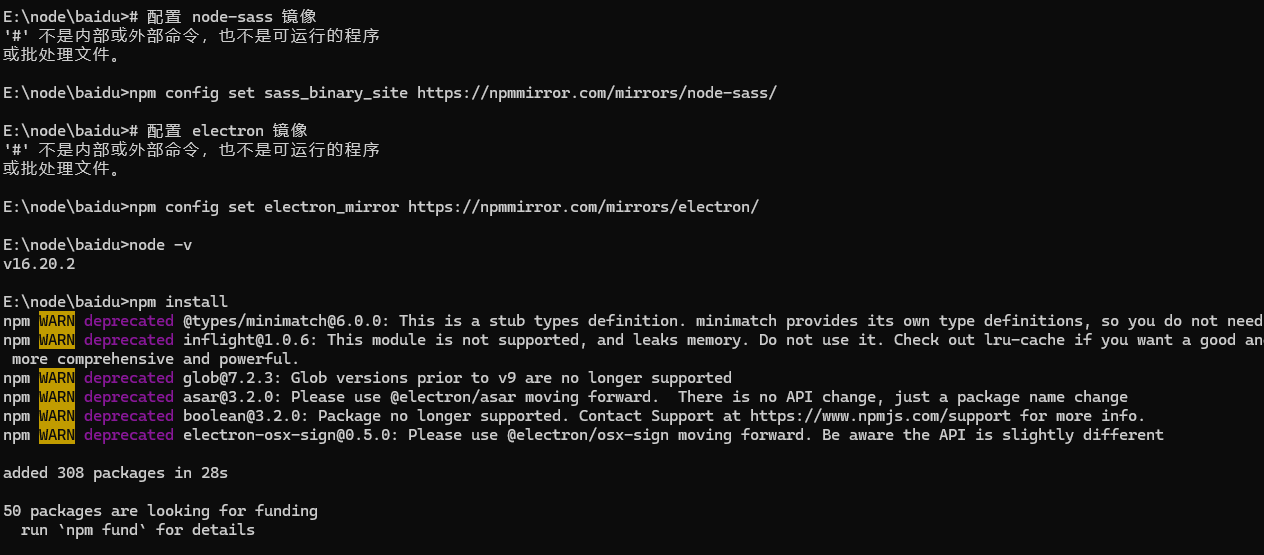
<p class="ds-markdown-paragraph" style="margin-bottom: 13.716px; font-size: 16.002px; line-height: 28.575px; color: rgb(64, 64, 64); font-family: DeepSeek-CJK-patch, Inter, system-ui, -apple-system, BlinkMacSystemFont, "Segoe UI", Roboto, "Noto Sans", Ubuntu, Cantarell, "Helvetica Neue", Oxygen, "Open Sans", sans-serif; text-wrap-mode: wrap; background-color: rgb(255, 255, 255); margin-top: 0px !important;">在 Windows 的命令提示符(CMD)中切换到其他盘的文件夹,可以按照以下步骤操作:</p><hr style="height: 1px; margin: 32px 0px; background: none 0% 0% / auto repeat scroll padding-box border-box rgb(229, 229, 229); border: none; color: rgb(64, 64, 64); font-family: DeepSeek-CJK-patch, Inter, system-ui, -apple-system, BlinkMacSystemFont, "Segoe UI", Roboto, "Noto Sans", Ubuntu, Cantarell, "Helvetica Neue", Oxygen, "Open Sans", sans-serif; font-size: 16.002px; text-wrap-mode: wrap;"/><h3 style="font-size: 18.288px; line-height: 1.5; margin: 18.288px 0px 13.716px; color: rgb(64, 64, 64); font-family: DeepSeek-CJK-patch, Inter, system-ui, -apple-system, BlinkMacSystemFont, "Segoe UI", Roboto, "Noto Sans", Ubuntu, Cantarell, "Helvetica Neue", Oxygen, "Open Sans", sans-serif; text-wrap-mode: wrap; background-color: rgb(255, 255, 255);"><strong>方法 1:直接切换驱动器并进入目录</strong></h3><p class="ds-markdown-paragraph" style="margin-top: 13.716px; margin-bottom: 13.716px; font-size: 16.002px; line-height: 28.575px; color: rgb(64, 64, 64); font-family: DeepSeek-CJK-patch, Inter, system-ui, -apple-system, BlinkMacSystemFont, "Segoe UI", Roboto, "Noto Sans", Ubuntu, Cantarell, "Helvetica Neue", Oxygen, "Open Sans", sans-serif; text-wrap-mode: wrap; background-color: rgb(255, 255, 255);">使用 <code style="font-size: 0.875em; font-weight: 600; font-family: Menlo, "Roboto Mono", "Courier New", Courier, monospace, Inter, sans-serif; background-color: rgb(236, 236, 236); border-radius: 4px; padding: 0.15rem 0.3rem;">/d</code> 参数一步完成<strong>切换驱动器</strong>和<strong>进入目录</strong>的操作:</p><pre class="brush:bash;toolbar:false">cd /d 目标路径</pre><p><strong style="color: rgb(64, 64, 64); font-family: DeepSeek-CJK-patch, Inter, system-ui, -apple-system, BlinkMacSystemFont, "Segoe UI", Roboto, "Noto Sans", Ubuntu, Cantarell, "Helvetica Neue", Oxygen, "Open Sans", sans-serif; font-size: 16.002px; text-wrap-mode: wrap; background-color: rgb(255, 255, 255);">示例:</strong></p><pre class="brush:bash;toolbar:false">cd /d D:\Projects</pre><ul style="margin-top: 13.716px; margin-bottom: 13.716px; padding-left: 27.432px; color: rgb(64, 64, 64); font-family: DeepSeek-CJK-patch, Inter, system-ui, -apple-system, BlinkMacSystemFont, "Segoe UI", Roboto, "Noto Sans", Ubuntu, Cantarell, "Helvetica Neue", Oxygen, "Open Sans", sans-serif; font-size: 16.002px; text-wrap-mode: wrap; background-color: rgb(255, 255, 255);" class=" list-paddingleft-2"><li><p class="ds-markdown-paragraph" style="margin-top: 0px; line-height: 28.575px; margin-bottom: 0px !important;"><code style="font-size: 0.875em; font-weight: 600; font-family: Menlo, "Roboto Mono", "Courier New", Courier, monospace, Inter, sans-serif; background-color: rgb(236, 236, 236); border-radius: 4px; padding: 0.15rem 0.3rem;">/d</code> 参数表示同时切换驱动器和目录。</p></li><li><p class="ds-markdown-paragraph" style="margin-top: 0px; line-height: 28.575px; margin-bottom: 0px !important;">输入后,当前路径会直接切换到 <code style="font-size: 0.875em; font-weight: 600; font-family: Menlo, "Roboto Mono", "Courier New", Courier, monospace, Inter, sans-serif; background-color: rgb(236, 236, 236); border-radius: 4px; padding: 0.15rem 0.3rem;">D:\Projects</code>。</p></li></ul><h3 style="font-size: 18.288px; line-height: 1.5; margin: 18.288px 0px 13.716px; color: rgb(64, 64, 64); font-family: DeepSeek-CJK-patch, Inter, system-ui, -apple-system, BlinkMacSystemFont, "Segoe UI", Roboto, "Noto Sans", Ubuntu, Cantarell, "Helvetica Neue", Oxygen, "Open Sans", sans-serif; text-wrap-mode: wrap; background-color: rgb(255, 255, 255);"><strong>方法 2:先切换驱动器,再进入目录</strong></h3><p class="ds-markdown-paragraph" style="margin-top: 13.716px; margin-bottom: 13.716px; font-size: 16.002px; line-height: 28.575px; color: rgb(64, 64, 64); font-family: DeepSeek-CJK-patch, Inter, system-ui, -apple-system, BlinkMacSystemFont, "Segoe UI", Roboto, "Noto Sans", Ubuntu, Cantarell, "Helvetica Neue", Oxygen, "Open Sans", sans-serif; text-wrap-mode: wrap; background-color: rgb(255, 255, 255);">分两步操作:</p><p class="ds-markdown-paragraph" style="margin-top: 0px; margin-bottom: 4px; line-height: 28.575px;"><strong>切换驱动器</strong>:输入盘符 + 冒号:</p><pre class="brush:bash;toolbar:false"> D:</pre><p class="ds-markdown-paragraph" style="margin-top: 0px; margin-bottom: 4px; line-height: 28.575px;"><strong>进入目录:</strong></p><pre class="brush:bash;toolbar:false">cd Projects # 进入 D:\Projects</pre><h3 style="font-size: 18.288px; line-height: 1.5; margin: 18.288px 0px 13.716px; color: rgb(64, 64, 64); font-family: DeepSeek-CJK-patch, Inter, system-ui, -apple-system, BlinkMacSystemFont, "Segoe UI", Roboto, "Noto Sans", Ubuntu, Cantarell, "Helvetica Neue", Oxygen, "Open Sans", sans-serif; text-wrap-mode: wrap; background-color: rgb(255, 255, 255);"><strong>常见问题</strong></h3><ol style="margin-top: 13.716px; margin-bottom: 13.716px; padding-left: 27.432px; color: rgb(64, 64, 64); font-family: DeepSeek-CJK-patch, Inter, system-ui, -apple-system, BlinkMacSystemFont, "Segoe UI", Roboto, "Noto Sans", Ubuntu, Cantarell, "Helvetica Neue", Oxygen, "Open Sans", sans-serif; font-size: 16.002px; text-wrap-mode: wrap; background-color: rgb(255, 255, 255);" class=" list-paddingleft-2"><li><p class="ds-markdown-paragraph" style="margin-top: 0px; margin-bottom: 4px; line-height: 28.575px;"><strong>为什么输入 <code style="font-size: 0.875em; font-family: Menlo, "Roboto Mono", "Courier New", Courier, monospace, Inter, sans-serif; background-color: rgb(236, 236, 236); border-radius: 4px; padding: 0.15rem 0.3rem;">cd D:\Projects</code> 后不生效?</strong></p></li><ul style="margin-top: 4px; padding-left: 27.432px;" class=" list-paddingleft-2"><li><p class="ds-markdown-paragraph" style="margin-top: 0px; line-height: 28.575px; margin-bottom: 0px !important;">如果没有使用 <code style="font-size: 0.875em; font-weight: 600; font-family: Menlo, "Roboto Mono", "Courier New", Courier, monospace, Inter, sans-serif; background-color: rgb(236, 236, 236); border-radius: 4px; padding: 0.15rem 0.3rem;">/d</code> 参数,<code style="font-size: 0.875em; font-weight: 600; font-family: Menlo, "Roboto Mono", "Courier New", Courier, monospace, Inter, sans-serif; background-color: rgb(236, 236, 236); border-radius: 4px; padding: 0.15rem 0.3rem;">cd</code> 命令只能切换<strong>当前驱动器内</strong>的目录,不会自动切换驱动器。</p></li><li><p class="ds-markdown-paragraph" style="margin-top: 0px; line-height: 28.575px; margin-bottom: 0px !important;">需要先输入 <code style="font-size: 0.875em; font-weight: 600; font-family: Menlo, "Roboto Mono", "Courier New", Courier, monospace, Inter, sans-serif; background-color: rgb(236, 236, 236); border-radius: 4px; padding: 0.15rem 0.3rem;">D:</code> 切换到目标驱动器,或者使用 <code style="font-size: 0.875em; font-weight: 600; font-family: Menlo, "Roboto Mono", "Courier New", Courier, monospace, Inter, sans-serif; background-color: rgb(236, 236, 236); border-radius: 4px; padding: 0.15rem 0.3rem;">cd /d D:\Projects</code>。</p></li></ul><li><p class="ds-markdown-paragraph" style="margin-top: 0px; margin-bottom: 4px; line-height: 28.575px;"><strong>路径包含空格怎么办?</strong></p></li><ul style="margin-top: 4px; padding-left: 27.432px;" class=" list-paddingleft-2"><li><p class="ds-markdown-paragraph" style="margin-top: 0px; margin-bottom: 4px; line-height: 28.575px;">用英文双引号包裹路径:</p></li></ul></ol><pre class="brush:bash;toolbar:false">cd /d "D:\My Projects\Code"</pre><h3 style="font-size: 18.288px; line-height: 1.5; margin: 18.288px 0px 13.716px; color: rgb(64, 64, 64); font-family: DeepSeek-CJK-patch, Inter, system-ui, -apple-system, BlinkMacSystemFont, "Segoe UI", Roboto, "Noto Sans", Ubuntu, Cantarell, "Helvetica Neue", Oxygen, "Open Sans", sans-serif; text-wrap-mode: wrap; background-color: rgb(255, 255, 255);"><strong>验证当前路径</strong></h3><ul style="margin-top: 13.716px; margin-bottom: 13.716px; padding-left: 27.432px; color: rgb(64, 64, 64); font-family: DeepSeek-CJK-patch, Inter, system-ui, -apple-system, BlinkMacSystemFont, "Segoe UI", Roboto, "Noto Sans", Ubuntu, Cantarell, "Helvetica Neue", Oxygen, "Open Sans", sans-serif; font-size: 16.002px; text-wrap-mode: wrap; background-color: rgb(255, 255, 255);" class=" list-paddingleft-2"><li><p class="ds-markdown-paragraph" style="margin-top: 0px; line-height: 28.575px; margin-bottom: 0px !important;">输入 <code style="font-size: 0.875em; font-weight: 600; font-family: Menlo, "Roboto Mono", "Courier New", Courier, monospace, Inter, sans-serif; background-color: rgb(236, 236, 236); border-radius: 4px; padding: 0.15rem 0.3rem;">cd</code>(不带参数)查看当前路径。</p></li><li><p class="ds-markdown-paragraph" style="margin-top: 0px; line-height: 28.575px; margin-bottom: 0px !important;">输入 <code style="font-size: 0.875em; font-weight: 600; font-family: Menlo, "Roboto Mono", "Courier New", Courier, monospace, Inter, sans-serif; background-color: rgb(236, 236, 236); border-radius: 4px; padding: 0.15rem 0.3rem;">dir</code> 列出当前目录内容。</p></li></ul><hr style="height: 1px; margin: 32px 0px; background: none 0% 0% / auto repeat scroll padding-box border-box rgb(229, 229, 229); border: none; color: rgb(64, 64, 64); font-family: DeepSeek-CJK-patch, Inter, system-ui, -apple-system, BlinkMacSystemFont, "Segoe UI", Roboto, "Noto Sans", Ubuntu, Cantarell, "Helvetica Neue", Oxygen, "Open Sans", sans-serif; font-size: 16.002px; text-wrap-mode: wrap;"/><h3 style="font-size: 18.288px; line-height: 1.5; margin: 18.288px 0px 13.716px; color: rgb(64, 64, 64); font-family: DeepSeek-CJK-patch, Inter, system-ui, -apple-system, BlinkMacSystemFont, "Segoe UI", Roboto, "Noto Sans", Ubuntu, Cantarell, "Helvetica Neue", Oxygen, "Open Sans", sans-serif; text-wrap-mode: wrap; background-color: rgb(255, 255, 255);"><strong>示例流程</strong></h3><pre class="brush:bash;toolbar:false">C:\Users> cd /d D:\Data
D:\Data> dir</pre><p class="ds-markdown-paragraph" style="margin-top: 0px; margin-bottom: 4px; line-height: 28.575px;"><span style="color: rgb(64, 64, 64); font-family: DeepSeek-CJK-patch, Inter, system-ui, -apple-system, BlinkMacSystemFont, "Segoe UI", Roboto, "Noto Sans", Ubuntu, Cantarell, "Helvetica Neue", Oxygen, "Open Sans", sans-serif; font-size: 16.002px; text-wrap-mode: wrap; background-color: rgb(255, 255, 255);">或</span><br/></p><pre class="brush:bash;toolbar:false">C:\Users> D:
D:\> cd Data
D:\Data></pre><p><span style="color: rgb(64, 64, 64); font-family: DeepSeek-CJK-patch, Inter, system-ui, -apple-system, BlinkMacSystemFont, "Segoe UI", Roboto, "Noto Sans", Ubuntu, Cantarell, "Helvetica Neue", Oxygen, "Open Sans", sans-serif; font-size: 16.002px; text-wrap-mode: wrap; background-color: rgb(255, 255, 255);">通过以上方法即可快速切换至其他盘的文件夹。</span></p>
相关文章