设置
npm config set proxy=http://127.0.0.1:8087
npm config set registry=http://registry.npmjs.org
对应的取消设置
npm config delete proxy
npm config delete https-proxy
安装临时指定淘宝镜像源
npm install [package-name] --registry=https://registry.npmmirror.com
有些时候npm下载资源出错,再次下载的时候可能因为之前错误的缓存造成一直下载不成功。
此时可以清一下npm的缓存,然后尝试重新下载
npm cache clean -f
疑难排错
仅仅切换registry有时还不够,以下进阶配置和常见问题的解决方案能帮你扫清障碍。
问题1:换源后速度依然不理想
这可能是npm缓存作祟。清空缓存是最有效的解决方式:
# 清空缓存
npm cache clean --force
# 删除 node_modules 文件夹和 package-lock.json
rm -rf node_modules package-lock.json
# 重新安装
npm install
问题2:特定二进制包安装失败
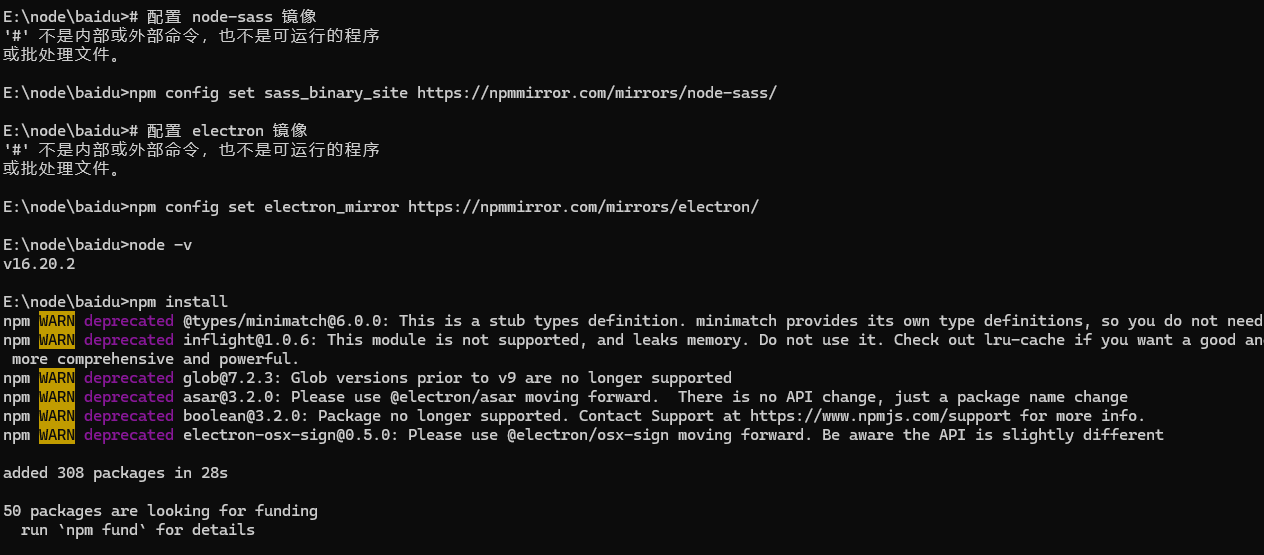
像node-sass、puppeteer、electron这类包含平台特定二进制文件的包,需要单独配置二进制镜像:
# 配置 node-sass 镜像
npm config set sass_binary_site https://npmmirror.com/mirrors/node-sass/
# 配置 electron 镜像
npm config set electron_mirror https://npmmirror.com/mirrors/electron/
# 配置 electron-builder 的辅助工具(如 winCodeSign、nsis、nsis-resources 等)镜像
npm config set electron_builder_binaries_mirror https://npmmirror.com/mirrors/electron-builder-binaries/
问题3:权限错误(常见于Mac/Linux)
全局安装时遇到EACCES错误,可以通过修正npm全局目录权限解决,但更推荐使用Node版本管理器(如nvm)来避免权限问题:
# 修改权限(推荐)
sudo chown -R $USER:$GROUP ~/.npm
sudo chown -R $USER:$GROUP /usr/local/lib/node_modules
相关文章